

4. Thermo-compositional convection
In this demo, we will mimic a dense dyke injected into an ice shell, its collapse and entrainment by thermal convection.
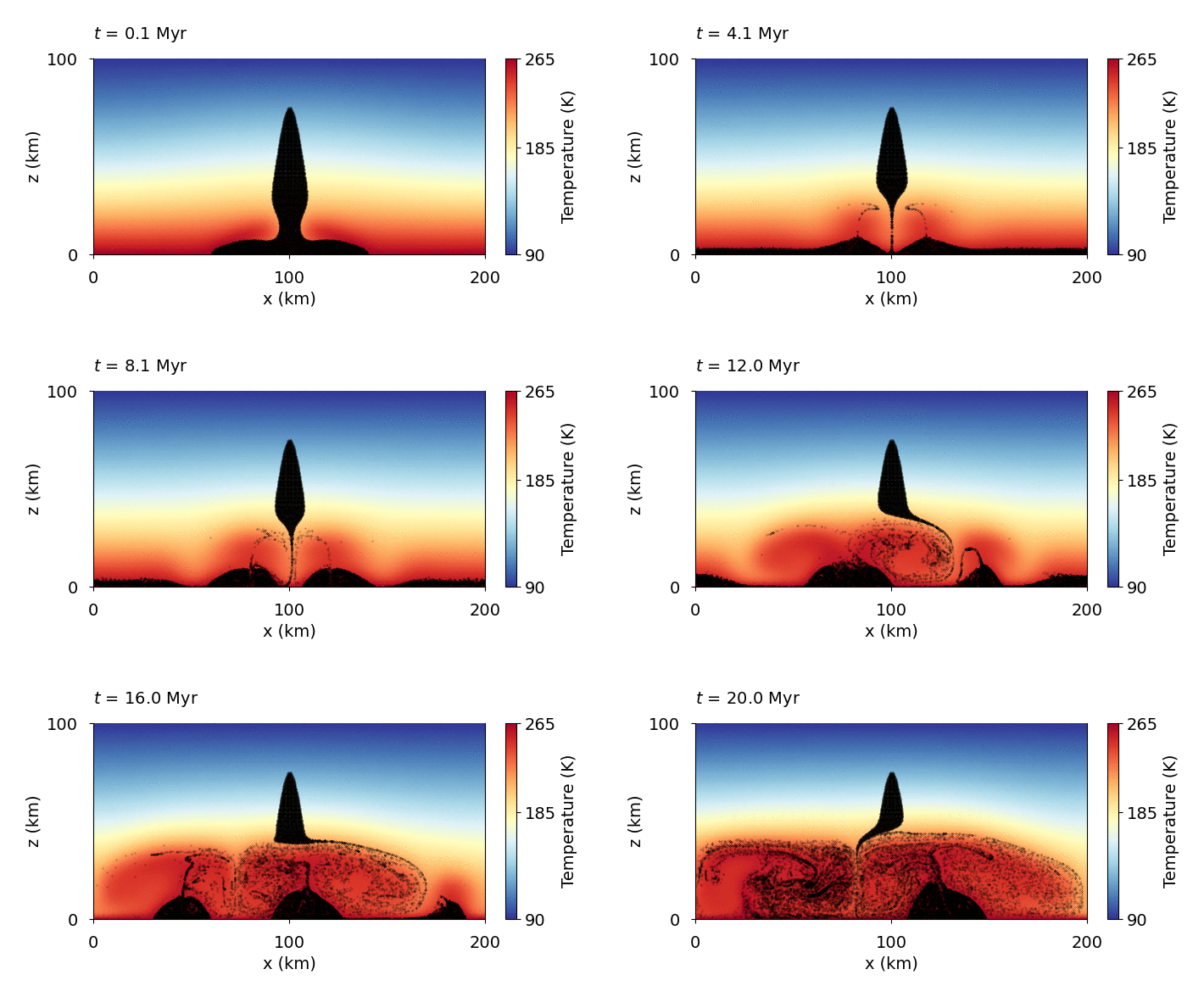
Download
Here you can download the bash script,
the modified material properties file,
the parameter file,
and the matplotlib script.
Detailed explanation is given below.
Attention
In this simulation, modification of the m_material_properties.py is needed.
Note
Copy the bash script, parameter file, and plotting script from /demos/demo4/ into the main directory.
Material properties file modification
We add the dependence of ice density on the composition, enhancing the density where the dyke material is present.
def rho(Temp, composition, xm):
        # .
        # .
        # .

        # --- Demo 4 ---
        return ((1.0-xm)*rho_s*mm/VV + xm*rho_m)*(composition[0] + 1.004*composition[1])
Parameter file modification
First, we redefine the directory name:
# --- Name of the directory with results ---
name = "demo4_convection_comp"
Then, we modify the interface() function as a gaussian peak
in the middle of the ice shell to represent the dyke. Afterwards, in the first position of materials,
we enter the whole domain (the ice), and in the second position the dyke material defined
as the material below the interface.
def interface(x):
    return 75e3*exp(-(x - 100e3)**2/1e8)

# --- Leave empty for a single material ---
materials = [["rectangle",  0, length, 0, height], ["interface",  "below"]]
To resolve the dyke well, we refine the lower half of the domain (same as in the original example) and the region that contains the dyke.
refinement = [0, length, 0, height/2, 80e3, 120e3, height/2 + 1e3, 80e3]